This list of monochrome and RGB palettes includes generic repertoires of colors (color palettes) to produce black-and-white and RGB color pictures by a computer's display hardware. RGB is the most common method to produce colors for displays; so these complete RGB color repertoires have every possible combination of R-G-B triplets within any given maximum number of levels per component. Each palette is represented by a series of color patches. When the number of colors is low, a 1-pixel-size version of the palette appears below it, for easily comparing relative palette sizes. Huge palettes are given directly in one-color-per-pixel color patches. For each unique palette, an image color test chart and sample image (truecolor original follows) rendered with that palette (without dithering) are given. The test chart shows the full 256 levels of the red, green, and blue (RGB) primary colors and cyan, magenta, and yellow complementary colors, along with a full 256-level grayscale. Gradients of RGB intermediate colors (orange, lime green, sea green, sky blue, violet, and fuchsia), and a full hue spectrum are also present. Color charts are not gamma corrected. These elements illustrate the color depth and distribution of the colors of any given palette, and the sample image indicates how the color selection of such palettes could represent real-life images. These images are not necessarily representative of how the image would be displayed on the original graphics hardware, as the hardware may have additional limitations regarding the maximum display resolution, pixel aspect ratio and color placement. Implementation of these formats is specific to each machine. Therefore, the number of colors that can be simultaneously displayed in a given text or graphic mode might be different. Also, the actual displayed colors are subject to the output format used - PAL or NTSC, composite or component video, etc. - and might be slightly different. For simulated images and specific hardware and alternate methods to produce colors other than RGB (ex: composite), see the List of 8-bit computer hardware palettes, the List of 16-bit computer hardware palettes and the List of video game console palettes. For various software arrangements and sorts of colors, including other possible full RGB arrangements within 8-bit color depth displays, see the List of software palettes. == Monochrome palettes == These palettes only have some shades of gray, from black to white (considered the darkest and lightest "grays", respectively). The general rule is that those palettes have 2n different shades of gray, where n is the number of bits needed to represent a single pixel. === Monochrome (1-bit grayscale) === Monochrome graphics displays typically have a black background with a white or light gray image, though green and amber monochrome monitors were also common. Such a palette requires only one bit per pixel. Where photo-realism was desired, these early computer systems had a heavy reliance on dithering to make up for the limits of the technology. In some systems, as Hercules and CGA graphic cards for the IBM PC, a bit value of 1 represents white pixels (light on) and a value of 0 the black ones (light off); others, like the Playdate and Atari ST and Apple Macintosh with monochrome monitors, a bit value of 0 means a white pixel (no ink) and a value of 1 means a black pixel (dot of ink), which it approximates to the printing logic. === 2-bit Grayscale === In a 2-bit color palette each pixel's value is represented by 2 bits resulting in a 4-value palette (22 = 4). 2-bit dithering: It has black, white and two intermediate levels of gray as follows: A monochrome 2-bit palette is used on: The Monochrome Display Adapter for the IBM PC NeXT Computer, NeXTcube and NeXTstation monochrome graphic displays. Original Game Boy system portable video game console. Macintosh PowerBook 150 monochrome LC displays. Amiga with A2024 monochrome monitor in high-resolution mode. The original Amazon Kindle The original WonderSwan The Tiger Electronics Game.com portable video game console The original Neo Geo Pocket. === 4-bit Grayscale === In a 4-bit color palette each pixel's value is represented by 4 bits resulting in a 16-value palette (24 = 16): 4-bit grayscale dithering does a fairly good job of reducing visible banding of the level changes: A monochrome 4-bit palette is used on: MOS Technology VDC (on the Commodore 128 with monochrome monitor) Amstrad CPC series with a GT64/GT65 Green Monitor (16 unique green shades) Amstrad CPC Plus series with the MM12 Monochrome monitor (16 shades of grey) Some Apple PowerBooks equipped with monochrome displays like the PowerBook 5300 The original VideoNow === 8-bit Grayscale === In an 8-bit color palette each pixel's value is represented by 8 bits resulting in a 256-value palette (28 = 256). This is usually the maximum number of grays in ordinary monochrome systems; each image pixel occupies a single memory byte. Most scanners can capture images in 8-bit grayscale, and image file formats like TIFF and JPEG natively support this monochrome palette size. Alpha channels employed for video overlay also use (conceptually) this palette. The gray level indicates the opacity of the blended image pixel over the background image pixel. == Dichrome palettes == === 16-bit RG palette === The RG or red–green color space is a color space that uses only two primary colors: red and green. It was used on early color processes for films. It was used as an additive format, similar to the RGB color model but without a blue channel, on processes such as Kinemacolor, Prizma, Technicolor I, Raycol, etc., producing shades of black, red, green and yellow. Alternatively, it was used as a subtractive format on Brewster Color I, Kodachrome I, Prizma II, Technicolor II, etc., producing shades of transparent, red, green and black. Until recently, its primary use was in low-cost light-emitting diode displays in which red and green tended to be far more common than the still nascent blue LED technology, but full-color LEDs with blue have become more common in recent years. ColorCode 3-D, a anaglyph stereoscopic color scheme, uses the RG color space to simulate a broad spectrum of color in one eye, while the blue portion of the spectrum transmits a black-and-white (black-and-blue) image to the other eye to give depth perception. === 16-bit RB palette === === 16-bit GB palette === == Regular RGB palettes == Here are grouped those full RGB hardware palettes that have the same number of binary levels (i.e., the same number of bits) for every red, green and blue components using the full RGB color model. Thus, the total number of colors are always the number of possible levels by component, n, raised to a power of 3: n×n×n = n3. === 3-bit RGB === 3-bit RGB dithering: Systems with a 3-bit RGB palette use 1 bit for each of the red, green and blue color components. That is, each component is either "on" or "off" with no intermediate states. This results in an 8-color palette ((21)3 = 23 = 8) that has black, white, the three RGB primary colors red, green and blue and their correspondent complementary colors cyan, magenta and yellow as follows: The color indices vary between implementations; therefore, index numbers are not given. The 3-bit RGB palette is used by: Text terminals following the ECMA-48 standard (sometimes known as the "ANSI standard", although ANSI X3.128 does not define colors) World System Teletext Level 1/1.5 Videotex Oric computers BBC Micro PC-8801 (up to the MkII) PC-9801 (with original 8086 CPU, before the VM/VX models) Sharp X1 (models before the X1 Turbo Z) Sharp MZ 700 FM-7, FM New 7, FM 77 (before the FM77AV) Sinclair QL Space Invaders Part II (arcade hardware) Macintosh SE (with a color printer or external monitor) Atari 2600 (SECAM version) Color Maximite (PIC32 based microcomputer) Arcadia 2001 PV-1000 Monkey Magic (arcade hardware) VIC-20 (high-res mode) Mouse Trap (arcade hardware) Sanyo MBC-550 series Windows 1.0 (includes dithering) === 6-bit RGB === Systems with a 6-bit RGB palette use 2 bits for each of the red, green, and blue color components. This results in a (22)3 = 43 = 64-color palette as follows: 6-bit RGB systems include the following: Enhanced Graphics Adapter (EGA) for IBM PC/AT (16 colors at once) Sega Master System video game console (32 colors at once) GIME for TRS-80 Color Computer 3 (16 colors at once) Pebble Time smartwatch which has a 6-bit (64 color) e-paper display Parallax Propeller using the reference VGA circuit === 9-bit RGB === Systems with a 9-bit RGB palette use 3 bits for each of the red, green, and blue color components. This results in a (23)3 = 83 = 512-color palette as follows: 9-bit RGB systems include the following: Atari ST (Normally 4 to 16 at once without tricks) MSX2 computers (up to 16 at once) Sega Genesis video game console, (64 colors at once) Sega Nomad TurboGrafx-16 (NEC PC-Engine) ZX Spectrum Next The NEC PC-88
QANDA
QANDA (stands for 'Q and A') is an AI-based learning platform developed by Mathpresso Inc., a South Korea-based education technology company. Its best known feature is a solution search, which uses optical character recognition technology to scan problems and provide step-by-step solutions and learning content. As of March 2024, QANDA solved over 6.3 billion questions. QANDA has 90 million total registered users and has reached 8 million monthly active users (MAU) in 50 countries. 90% of the cumulative users are from overseas such as Vietnam and Indonesia. In January 2024, its MathGPT, a math-specific small large language model set a new world record, surpassed Microsoft's 'ToRA 13B', the previous record holder in benchmarks assessing mathematical performance such as 'MATH' (high school math) and 'GSM8K' (grade school math). 'MathGPT' was co-developed with Upstage and KT. In March 2024, Mathpresso launched 'Cramify' (formerly known as Prep.Pie), an AI-powered study material generator designed to create personalized exam prep materials for U.S. college students. It uses generative AI to create customized study materials uploaded by students. Its features include a range of tools including study summarizer and question solver. == History == Co-founder Jongheun ‘Ray’ Lee first came up with the idea of QANDA during his freshman year in college. While he was tutoring to earn money, Lee realized that the quality of education a student receives is greatly based on their location. Lee saw his K-12 students were regularly asking similar questions and realized that these questions were from a pre-selected number of textbooks currently being used in schools. He decided to team up with his high school friend, Yongjae ‘Jake’ Lee to build a platform whereby, one uses a mobile app to scan and submit questions, and students can ask and receive detailed responses. Lee's school friends, Wonguk Jung and Hojae Jeong, joined the team. In June 2015, Mathpresso, Inc. was founded in Seoul, South Korea. In January 2016, Mathpresso's first product QANDA was launched. It supported a Q&A feature between students and tutors. In October 2017, QANDA introduced an AI-based search capability that permitted users to search for answers in seconds. In April 2020, Jake Yongjae Lee(CEO & co-founder) and Ray Jongheun Lee (co-founder) were selected as Forbes 30 under 30 Asia. In June 2021, QANDA raised $50 million in series C funding. Jake Yongjae Lee was recognized as an Innovator Under 35 by MIT Technology Review. In November 2021, QANDA secured a strategic investment from Google. Since its inception, it has received backing in Series C funding from investors namely Google, Yellowdog, GGV Capital, Goodwater Capital, KDB, and SKS Private Equity with participation from SoftBank Ventures Asia, Legend Capital, Mirae Asset Venture Investment, and Smilegate Investment. In September 2023, Mathpresso has raised $8 million (10 billion KRW) from Korea's telecom giant, KT. The total cumulative investment is about 130 million US dollars. The partnership aims to accelerate the development of an education-specific Large Language Model. The company intends to incorporate the LLM model to fortify its AI tutor, which later will be integrated into the existing services: QANDA App, B2B & B2G Saas, and 1:1 online tutoring (QANDA Tutor). == Features == QANDA features OCR-based solution search, one-on-one Q&A tutoring, a study timer. In 2021, QANDA launched additional features, including the premium subscription model that offers unlimited “byte-sized” micro-video lectures and the community feature that enhances collaborative learning. In 2021, QANDA launched QANDA Tutor, a tablet-based 1:1 tutoring service and QANDA Study, a 1:N online school in Vietnam. In 2022, QANDA launched an exam prep feature that offers past exam materials from school via online. This feature is currently available in South Korea. In August 2023, QANDA launched a beta version of an LLM-powered AI Tutor. == Awards and recognition == Best Hidden Gems of 2017 by Google Playstore 2018 AWS AI Startup Challenge Award National representative for the Google AI for Social Good APAC, 2018 Best Self-Improvement Apps of 2018 by Google Playstore GSV Edtech 150 — the Most Transformational Growth Companies in Digital Learning Speaker at the Google App Summit, 2021 Selected as a prospect unicorn company by Korea Technology Finance Corporation in 2023 Winner of G20-DIA Global Pitching in 2023 2021, 2022, 2023 East Asia EdTech 150 by HolonIQ
Protocol Builder
Protocol Builder is a tool in programming languages to generate code to build protocols in a fast and reliable way. Network programming for all kinds of protocols (such as TCP, UDP, and SNMP) includes converting data to be transferred to raw bytes in the sending side and parsing these bytes in the receiving side. Protocol builders facilitate this stage, usually by automatically generating the code. Protocol Programming has many components to be developed, these are: server listener, server connection, client connection, packets, and loggers. Most protocol builders implement these components automatically so developers save time and money. Currently, there are two Protocol Builders in the market, one for C++ from UpRedSun which is for TCP and UDP protocols. The second one is for .Net languages which generates the code in C# for TCP Protocols, this tool is called .Net Protocol Builder.
EnQuire
Enquire is a web-based software application used as a platform for project, contract and grant management, as well as reporting and planning. Initially designed for the specific business requirements of the Australian Government, Queensland Government and Queensland Regional Bodies to manage natural resource projects, Enquire has since seen adoption outside of this industry and user segment. The use of Enquire by Natural Resource Management bodies within Queensland has been cited as a reason for the improved efficiency, quantity and quality of reporting. Technically, Enquire is implemented as a Java application built on a MySQL database. Enquire is hosted and supported under the software as a service model by Tactiv Pty Ltd. == History == The system was first released in 2005 under the name ViSTA NRM Online, proactively changing its name to Enquire in 2007 to avoid possible confusion with Windows Vista, which was being released at the time. In 2012, the Enquire project and support team was commercialized as its own company called Tactiv Pty Ltd. Tactiv is based predominantly in Brisbane, Australia. Tactiv has continued to develop and grow the Enquire Grant, Contract and Project management solution, releasing a new platform in 2017. Since commercialization, Tactiv has grown its client base to include government and non-government organizations such as foundations and not-for-profit organizations. == Functionality == The functionality of Enquire can be broken down into 5 key lifecycle solutions, all fully integrated and supported by over 40 feature rich and configurable modules: Grant Management Contract Management Project Portfolio Management Procurement Management Relationship Management The system provides its platform to meet the needs of "off the shelf" customers looking for a ready to use best practice option as well as a fully configurable option for specific requirements. The system offers a client supplier portal for external applicants or suppliers, a management portal for internal team usage and an administration portal for clients to manage access, roles, information, and other configurations. Key functional modules include: Online authoring and publishing for forms and applications Workflows Project Tracking Performance Reporting Financial Reporting Stakeholder Communication Budget management Document Management Milestone tracking Payments and Variations Management KPI tracking and Impact reporting The Enquire system is used to report against the Queensland Government's Q2 Coast and Country Program and parts of the Australian Government's Caring for our Country program. There is also a strategic planning module, which provides functionality to manage core-business administration and reporting requirements, whilst providing visibility of key activities and their alignment against organizational goals and strategic objectives. The systems architecture supports a range of implementation models with the capacity to manage one-to-one, one-to-many and many-to-many relationships between investors and investees. Under the usage model within Queensland, Regional Bodies use Enquire to load project contracts and report against these online. The regional bodies also record output, target and financial information in Enquire, which can then be used for operational purposes including financial, performance and target reporting. == External Audit == The Australian National Audit Office Audit Report No.21 2007–08 undertook a case study on Enquire. It noted: "The Queensland Department of Environment and Resource Management has developed the first integrated web-based system [Enquire] to manage performance information about Natural Resource Management activities in Queensland." Four of Queensland's 14 regional bodies commented on Enquire through the ANAO's survey. These four regional bodies indicated that Enquire offers a means of consistent reporting at the State level.
GNU social
GNU social (and its predecessor StatusNet) is a largely defunct free and open-source microblogging social networking service that implements the OStatus and ActivityPub standards for interoperability between installations. While offering similar functionality to social networks such as Twitter, GNU social seeks to provide the ability for open and federated communication between different microblogging communities, known as 'instances'. Both enterprises and individuals can install and control their own instances and user data. At its peak in popularity, GNU social had been deployed on hundreds of interconnected instances, however has since fallen into disuse as competing software like Mastodon and Pleroma have taken its position as the dominant federated microblogging services. Later on in its lifespan, the project split into two separate branches, with "v2" being a continuation of the original codebase for maintenance of existing instances, with "v3" being a complete redesign of the project meant to integrate further ActivityPub support and modernization of the user experience and its technological back-end. As of August 15, 2022, there had been no new commits to the v2 branch, with the v3 branch also no longer being actively developed not long after by November 25, 2022, with the project essentially abandoned. Despite its modern obsolescence and dated design compared to modern platforms, GNU social and StatusNet is regarded to be the origin of the Fediverse network and has had a major influence on the design of more modern decentralized social networks that succeeded it. == History == While being the main project within its lineage, GNU social originally began as a fork of StatusNet. The software was first developed for a service called identi.ca from Evan Prodromou, which offered free microblogging accounts to the public. The software quickly became one of the first popular examples of a decentralized social network, as identi.ca allowed any other server that was running the software to communicate with it, something which had not previously been attempted before in social media at such a large scale. === StatusNet === Originally, StatusNet (named Laconica at the time) was launched with a communication protocol designed specifically for the project called OpenMicroBlogging (OMB). With version 0.8.1, the name of the software was changed to StatusNet. Version 0.9.0 was released soon after in March 3, 2010, with the developers implementing a newly designed protocol dubbed OStatus, with support for OMB being dropped not long after. Compared to OpenMicroBlogging, OStatus could handle and federate more events and actions than the basic plaintext communication that OMB provided and was based on a variety of other web technologies, allowing for easier adoption of new implementations of the protocol for servers and clients compared to the fully custom architecture of OMB. With the StatusNet name change, the company developing both the software and OStatus as well as managing identi.ca rebranded from Control Yourself to StatusNet Inc. In August 2010, the company raised a new round of venture capital funds to establish a hosting service under the status.net domain from sources such as First Mark Capital, BOLDstart Ventures, iNovia Capital and Montreal Start Up, raising over $2.3 million in funding up to that point. The hosting service allowed anyone to establish their own StatusNet instance without maintaining a server, similar to WordPress.com and other blogging platforms. New registrations on identi.ca along with the ability to create new status.net instances was disabled in December 2012, in preparation for a migration to pump.io that has since been named by users of StatusNet and OStatus as "the Pumpocalypse". pump.io was a brand new software package like StatusNet, but with a new protocol designed for general purpose activity streams outside of microblogging and ease-of-use for developers building on the technology, much like the transition from OMB to OStatus. The announcement was seen as unexpected among identi.ca users, who were concerned about the possibility of their statuses being deleted with the transition. At the same time, server administrators running third-party instances and their users who were left behind on StatusNet were also worried, as it was unclear at the time whether future development of the software would be picked up by a new maintainer. The transition for identi.ca users to pump.io was completed on 12 July 2013. ==== Previous names ==== The original name of StatusNet was Laconica, a reference to the Laconic phrase; a particularly brief statement commonly attributed to the leaders of Sparta (Laconia being the Greek region containing Sparta). In microblogging, all messages are designed to be very short due to the traditional 140-character limit on message size, a limitation imported from SMS. Beginning with version 0.8.1, the name was changed to StatusNet. The developers said that the new name "simply reflects what our software does: send status updates into your social network." === GNU social === GNU social originally began as a side project of GNU FM (Libre.fm) maintainer Matt Lee, with the goal of being able to federate messages between Last.fm and other instances of GNU FM using StatusNet plugins. Around the same time, a developer named Mikael Nordfeldth forked StatusNet with the intention of maintaining it as a personal project, dubbing it "Free Social". However, following identi.ca's transition to pump.io and its developers' sudden abandonment of StatusNet, the projects received more attention from server administrators and other users looking for an actively updated alternative. Shortly after LibrePlanet 2012, a plan was formed to merge all three projects into a single service. On June 8, 2013, it was announced that along with Free Social, StatusNet would be merged into the GNU social project and stewarded by the Free Software Foundation, with the project since becoming the dominant variant of StatusNet. During GNU social's lifespan, a popular theme for the user interface named Quitter was used, which was similar to an earlier Twitter interface. Many instances were made specifically using the name Quitter such as Quitter.se, an instance created by the developer of the theme. Before the establishment of Mastodon's popularity and dominance within the network, Quitter was noted as a frequent location for users of Twitter to migrate to when users disagreed with moderation policies or feature updates, such as when an algorithmic feed was added to Twitter. A fork of GNU social was made called postActiv, which planned to rewrite the backend and user interface of GNU social, as well as to add compatibility for Diaspora's protocol. == Features == A basic GNU social instance takes the form of a microblogging service with a reverse chronological timeline that features status updates and small messages from followed accounts, similar to other services such as Twitter or Weibo. While users could see their own customized timeline, they could access another timeline that showcased every message that the instance knows of, including from other instances that were connected to each other if someone on the instance followed an account from it. Users could also create and join groups, which allows for discussion and collaboration on specific topics. Administrators can also customize their server via the plugin system, which allows developers to create new features or modify existing plugins to suit the needs of the instance via PHP. A notable plugin built for GNU social was Quitter, a revamp of the user interface that resembles an earlier version of Twitter's user interface.
Legendre moment
In mathematics, Legendre moments are a type of image moment and are achieved by using the Legendre polynomial. Legendre moments are used in areas of image processing including: pattern and object recognition, image indexing, line fitting, feature extraction, edge detection, and texture analysis. Legendre moments have been studied as a means to reduce image moment calculation complexity by limiting the amount of information redundancy through approximation. == Legendre moments == Source: With order of m + n, and object intensity function f(x,y): L m n = ( 2 m + 1 ) ( 2 n + 1 ) 4 ∫ − 1 1 ∫ − 1 1 P m ( x ) P n ( y ) f ( x , y ) d x d y {\displaystyle L_{mn}={\frac {(2m+1)(2n+1)}{4}}\int \limits _{-1}^{1}\int \limits _{-1}^{1}P_{m}(x)P_{n}(y)f(x,y)\,dx\,dy} where m,n = 1, 2, 3, ...∞ with the nth-order Legendre polynomials being: P n ( x ) = ∑ k = 0 n a k , n x k = ( − 1 ) n 2 n n ! ( d d x ) [ ( 1 − x 2 ) n ] {\displaystyle P_{n}(x)=\sum _{k=0}^{n}a_{k,n}x^{k}={\frac {(-1)^{n}}{2^{n}n!}}\left({\frac {d}{dx}}\right)[(1-x^{2})^{n}]} which can also be written: P n ( x ) = ∑ k = 0 D ( n ) ( − 1 ) k ( 2 n − 2 k ) ! 2 n k ! ( n − k ) ! ( n − 2 k ) ! x n − 2 k = ( 2 n ) ! 2 n ( n ! ) 2 x n − ( 2 n − 2 ) ! 2 n 1 ! ( n − 1 ) ! ( n − 2 ) ! x n − 2 + ⋯ {\displaystyle {\begin{aligned}P_{n}(x)&=\sum _{k=0}^{D(n)}(-1)^{k}{\frac {(2n-2k)!}{2^{n}k!(n-k)!(n-2k)!}}x^{n-2k}\\[5pt]&={\frac {(2n)!}{2^{n}(n!)^{2}}}x^{n}-{\frac {(2n-2)!}{2^{n}1!(n-1)!(n-2)!}}x^{n-2}+\cdots \end{aligned}}} where D(n) = floor(n/2). The set of Legendre polynomials {Pn(x)} form an orthogonal set on the interval [−1,1]: ∫ − 1 1 P n ( x ) P m ( x ) d x = 2 2 n + 1 δ n m {\displaystyle \int _{-1}^{1}P_{n}(x)P_{m}(x)\,dx={\frac {2}{2n+1}}\delta _{nm}} A recurrence relation can be used to compute the Legendre polynomial: ( n + 1 ) P n + 1 ( x ) − ( 2 n + 1 ) x P n ( x ) + n P n − 1 ( x ) = 0 {\displaystyle (n+1)P_{n+1}(x)-(2n+1)xP_{n}(x)+nP_{n-1}(x)=0} f(x,y) can be written as an infinite series expansion in terms of Legendre polynomials [−1 ≤ x,y ≤ 1.]: f ( x , y ) = ∑ m = 0 ∞ ∑ n = 0 ∞ λ m n P m ( x ) P n ( y ) {\displaystyle f(x,y)=\sum _{m=0}^{\infty }\sum _{n=0}^{\infty }\lambda _{mn}P_{m}(x)P_{n}(y)}
Software bot
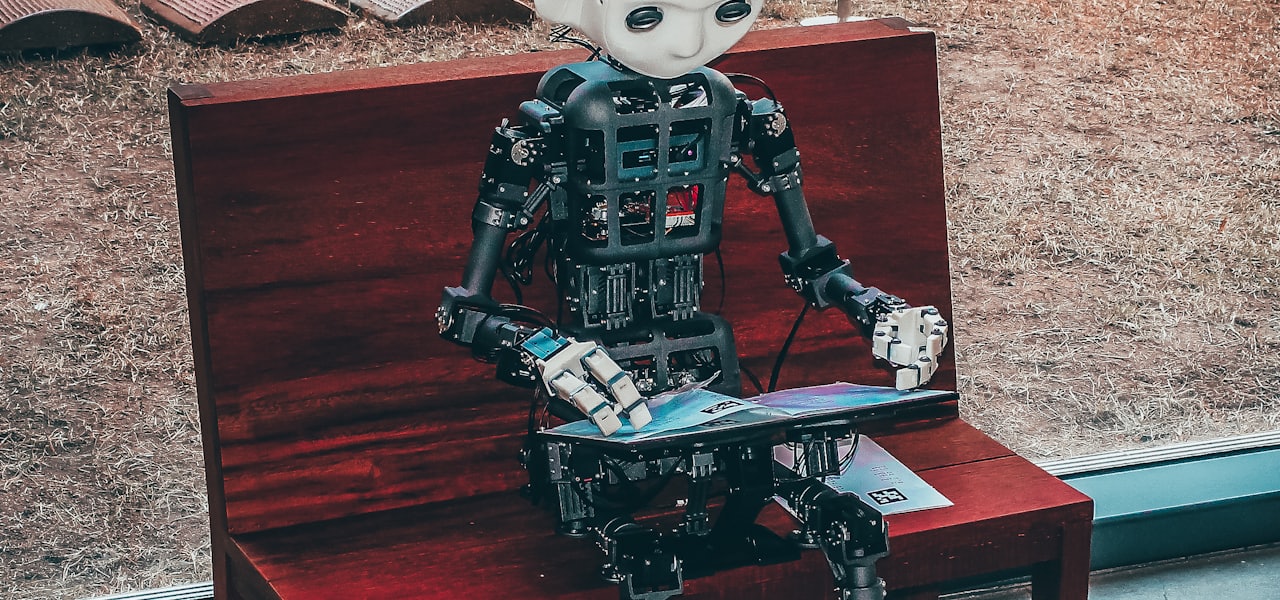
A software bot is a type of software agent in the service of software project management and software engineering. A software bot has an identity and potentially personified aspects in order to serve their stakeholders. Software bots often compose software services and provide an alternative user interface, which is sometimes, but not necessarily conversational. Software bots are typically used to execute tasks, suggest actions, engage in dialogue, and promote social and cultural aspects of a software project. The term bot is derived from robot. However, robots act in the physical world and software bots act only in digital spaces. Some software bots are designed and behave as chatbots, but not all chatbots are software bots. Discussions about the past and future of software bots show that software bots have been adopted for many years. == Usage == Software bots are used to support development activities, such as communication among software developers and automation of repetitive tasks. Software bots have been adopted by several communities related to software development, such as open-source communities on GitHub and Stack Overflow. GitHub bots have user accounts and can open, close, or comment on pull requests and issues. GitHub bots have been used to assign reviewers, ask contributors to sign the Contributor License Agreement, report continuous integration failures, review code and pull requests, welcome newcomers, run automated tests, merge pull requests, fix bugs and vulnerabilities, etc. The Slack tool includes an API for developing software bots. There are slack bots for keeping track of todo lists, coordinating standup meetings, and managing support tickets. The ChatBot company products further simplify the process of creating a custom Slack bot. On Wikipedia, Wikipedia bots automate a variety of tasks, such as creating stub articles, consistently updating the format of multiple articles, and so on. Bots like ClueBot NG are capable of recognizing vandalism and automatically remove disruptive content. == Taxonomies and Classification Frameworks == Lebeuf et al. provide a faceted taxonomy to characterize bots based on a literature review. It is composed of 3 main facets: (i) properties of the environment that the bot was created in; (ii) intrinsic properties of the bot itself; and (iii) the bot's interactions within its environment. They further detail the facets into sets of sub-facets under each of the main facets. Paikari and van der Hoek defined a set of dimensions to enable comparison of software bots, applied specifically to chatbots. It resulted in six dimensions: Type: the main purpose of the bot (information, collaboration, or automation) Direction of the "conversation" (input, output, or bi-directional) Guidance (human-mediated, or autonomous) Predictability (deterministic, or evolving) Interaction style (dull, alternate vocabulary, relationship-builder, human-like) Communication channel (text, voice, or both) Erlenhov et al. raised the question of the difference between a bot and simple automation, since much research done in the name of software bots uses the term bot to describe various different tools and sometimes things are "just" plain old development tools. After interviewing and surveying over 100 developers the authors found that not one, but three definitions dominated the community. They created three personas based on these definitions and the difference between what the three personas see as being a bot is mainly the association with a different set of human-like traits. The chat bot persona (Charlie) primarily thinks of bots as tools that communicates with the developer through a natural language interface (typically voice or chat), and caring little about what tasks the bot is used for or how it actually implements these tasks. The autonomous bot persona (Alex) thinks of bots as tools that work on their own (without requiring much input from a developer) on a task that would normally be done by a human. The smart bot persona (Sam) separates bots and plain old development tools through how smart (technically sophisticated) a tool is. Sam cares less about how the tool communicates, but more about if it is unusually good or adaptive at executing a task. The authors recommends that people doing research or writing about bots try to put their work in the context of one of the personas since the personas have different expectations and problems with the tools. == Example of notable bots == Dependabot and Renovatebot update software dependencies and detect vulnerabilities. (https://dependabot.com/) Probot is an organization that create and maintain bots for GitHub. The example bots using Probot are the following. Auto Assign (https://probot.github.io/apps/auto-assign/) license bot (https://probot.github.io/) Sentiment bot (https://probot.github.io/apps/sentiment-bot/) Untrivializer bot (https://probot.github.io/apps/untrivializer/) Refactoring-Bot (Refactoring-Bot): provides refactoring based on static code analysis Looks good to me bot (LGTM) is a Semmle product that inspects pull requests on GitHub for code style and unsafe code practices. == Issues and threats == Software bots may not be well accepted by humans. A study from the University of Antwerp has compared how developers active on Stack Overflow perceive answers generated by software bots. They find that developers perceive the quality of software bot-generated answers to be significantly worse if the identity of the software bot is made apparent. By contrast, answers from software bots with human-like identity were better received. In practice, when software bots are used on platforms like GitHub or Wikipedia, their username makes it clear that they are bots, e.g., DependaBot, RenovateBot, DatBot, SineBot. Bots may be subject to special rules. For instance, the GitHub terms of service does not allow 'bots' but accepts 'machine account', where a 'machine account' has two properties: 1) a human takes full responsibility of the bot's actions 2) it cannot create other accounts.